A Small-Screen Watch Party with One Question in Mind
Plan a small-screen watch party around one clear question, with a setup and discussion rhythm that help friends notice details and compare different readings.
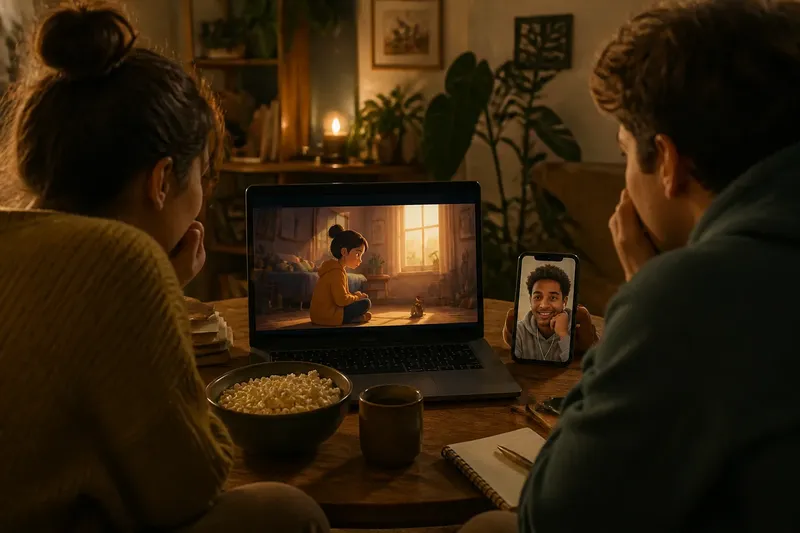
Your friend has the video queued on a laptop, another is joining by phone, and the opening scene is already playing in the background. A small-screen watch party works better when everyone has one detail to notice than when the host tries to explain every moment. One question can give the group a shared focus without turning the viewing into a quiz.
The same approach can suit a sitcom scene, an animated short, a music video, or a creator’s online video. Choose the setup and question together: both should fit the group’s familiarity with the material, the time available, and whether everyone is watching in one room or on separate screens.
Plan the setup
Decide how people will watch before choosing an activity. In one room, a TV and a spoken question may be enough. For remote viewers, agree on a start cue and whether people will talk during playback or save comments for afterward.
- Everyone shares a room: Check that the screen and speakers are easy for the group to see and hear; if they are, play the selection straight through, but if not, move seats or use headphones before starting.
- Some viewers are new to the story: Check whether the scene makes sense on its own; if it does, share the title and begin, but if it does not, choose a more self-contained clip or provide one brief, spoiler-light sentence of context.
- Remote viewers can start together: Check that everyone has the same title or link and can use a shared call; if playback stays coordinated, watch together, but if it slips, pause at a natural break and reset with a clear cue.
- Schedules or connections differ: Check whether viewers can join at the same time; if they cannot, share the selection and an agreed discussion window, but if they can, choose a shared start instead of splitting the conversation across a long text thread.
- The gathering is brief: Check whether there is room to watch and talk afterward; if there is, choose one compact clip, but if there is not, shorten the selection or save discussion for another time rather than stopping repeatedly.
- The video invites close attention: Check whether viewers need a pause to notice a particular transition; if one natural break would help, agree on that pause beforehand, but if the scene depends on momentum, watch without interruption and discuss details afterward.
Say you have a hypothetical group of three friends meeting on a video call, and one has not seen the series behind an animated short. You check whether the chosen scene introduces its characters and conflict without earlier episodes; it does, so you share the link and ask, “What changes in the room once the music starts?” After watching together, the group can point to movement, background details, or a change in mood, while the newcomer can take part without a plot briefing.
Choose one question
A useful question points toward something viewers can see or hear while leaving more than one reasonable answer. Ask about a change, such as when a scene begins to feel tense, or what a pause makes noticeable about a character. These prompts give people something to track without requiring them to guess the host’s preferred interpretation.
The question can focus on form as well as story. Ask what a music cue changes, where an edit shifts the pace, or how animation draws attention to a character’s movement. For interactive video, viewers can notice how a creator responds to comments, without needing to speculate about the production process.
A recall prompt, such as asking who said a particular line, checks memory more than interpretation. A very broad prompt like “What did you think?” can work after the viewing, but it may not give the group a clear detail to carry through the scene.
Fit the audience
When the group includes newcomers, ask about something present in the clip itself: a gesture, sound, framing choice, or change in pace. If everyone knows the series, a question about a recurring visual choice may give longtime viewers more to notice without making that knowledge a requirement.
For children or anyone who prefers concrete prompts, name an element they can spot: “Which sound changes the mood?” A group that enjoys interpretation might instead consider what a repeated image suggests. The right wording is the one this particular group can answer in different ways.
Keep the question open rather than building a conclusion into it. “What does the silence make you notice about the hero?” invites observations; asking why the silence makes the hero seem selfish presumes both motive and judgment before anyone has watched.
Keep the rhythm
Tell the group the question before playback and say whether you plan to pause. A short selection often works best without interruption; for a dense scene, agree on one pause at a natural break. If viewers want to discuss every moment, save those comments for afterward so the video can keep its rhythm.
After the viewing, leave a quiet moment before inviting responses. A viewer can jot down a detail in a phone note or simply think before speaking. On a remote call, this small pause can make room for people who need a moment to gather their thoughts.
Let others share before offering your own reading. If someone notices a detail you missed, follow that observation rather than steering the discussion back to your first idea.
Discuss different readings
When interpretations differ, ask what each person noticed in the scene. One viewer might read a character’s silence as embarrassment; another might see it as a refusal to answer. They can point to the expression, timing, or reaction that shaped their reading without having to settle on one verdict.
Share airtime without making anyone perform. Invite a quieter viewer to add an observation, but make passing easy. For a text thread, post the question again after the video and leave space for replies rather than asking everyone to answer at once.
Questions before playback?
How long should the selection be?
Choose a clip that leaves room for discussion within the time your group has. If people have limited time, use a self-contained scene; if they want a longer conversation, select a full episode or other format they already enjoy discussing.
Does everyone need to know the story?
No, provided the selection can be followed on its own. If background matters, share one brief, spoiler-light note before playback; otherwise, choose a scene that introduces enough context itself.
What if people disagree?
Ask each person which detail shaped their reading, then let the conversation continue without requiring a single answer. The aim of this small-screen watch party is to compare what viewers noticed, not to reach a class consensus.
Can the question focus on editing or sound?
Yes. Ask what a music cue changes or where a cut makes the scene feel faster, so viewers can answer from what they heard and saw without needing technical vocabulary.
End with a detail
Close by asking each person to name one detail they expect to remember or one question the video left open. That gives the gathering a clear ending without requiring a longer analysis than the group wants.
Keep the question specific enough to guide attention and open enough to welcome different readings. If the group gets absorbed in the video and has little to say afterward, that is useful feedback: next time, choose a scene with a more noticeable change or ask about a detail viewers can readily point to.